Setting up Flitz: from first publish to your first stakeholder link
 Piotr KryczkaBackend Developer
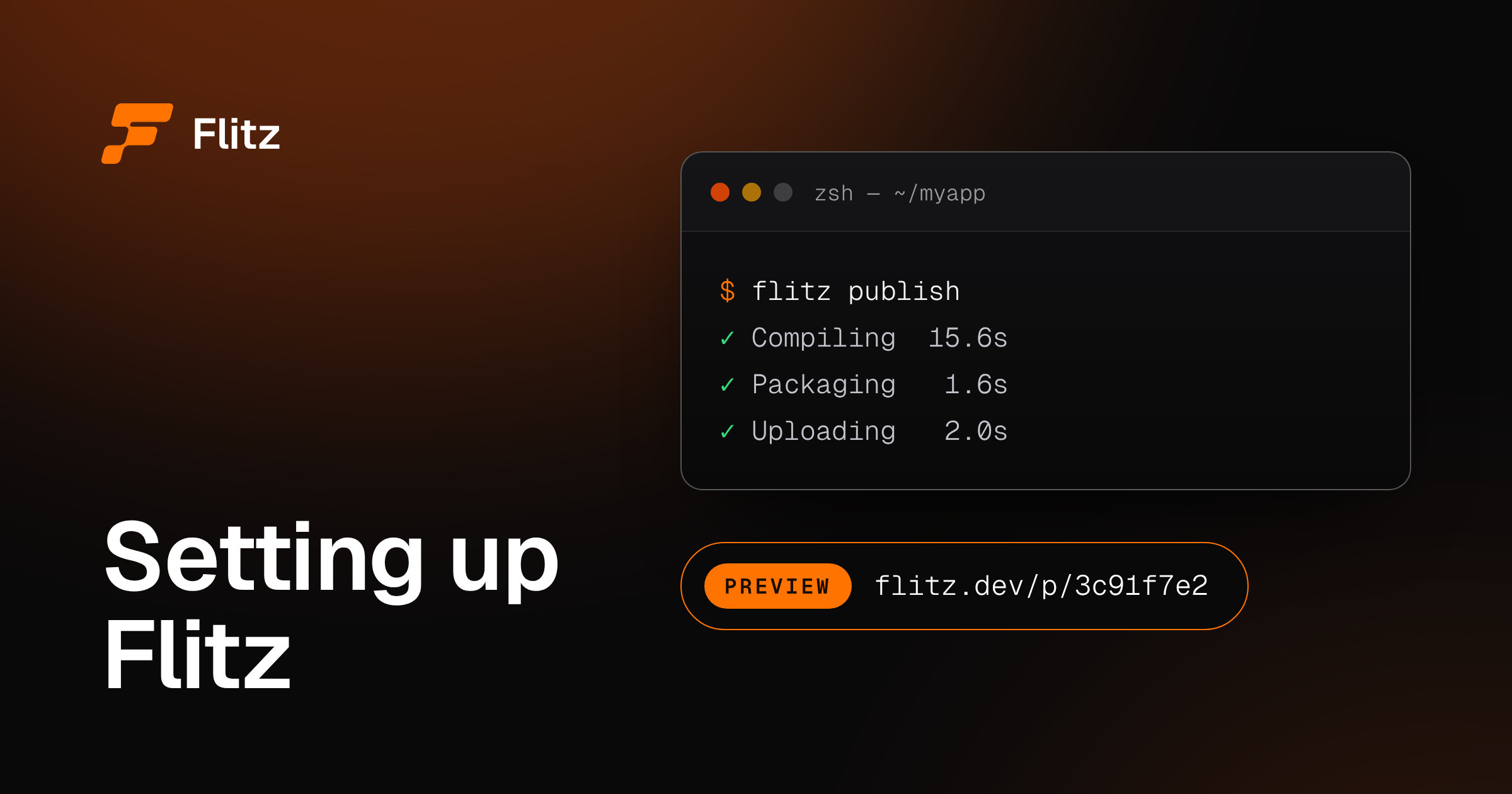
A change in your Flutter app takes ten minutes. Showing it to your Product Owner takes a screenshot, a screen recording, or a merge, and only the merge gives them something they can tap. The merge also takes a day: pull request, review, CI, TestFlight, “please install the new build”. This article shows how to plug Flitz into an existing app so your PO, designer or QA opens your branch on their own phone a minute after you push it.
What you'll learn:
- How Flitz works
- How each role on your team uses a preview link
- What the one-time integration takes, step by step, and how long
- What your daily workflow looks like afterwards
What Flitz does for your team
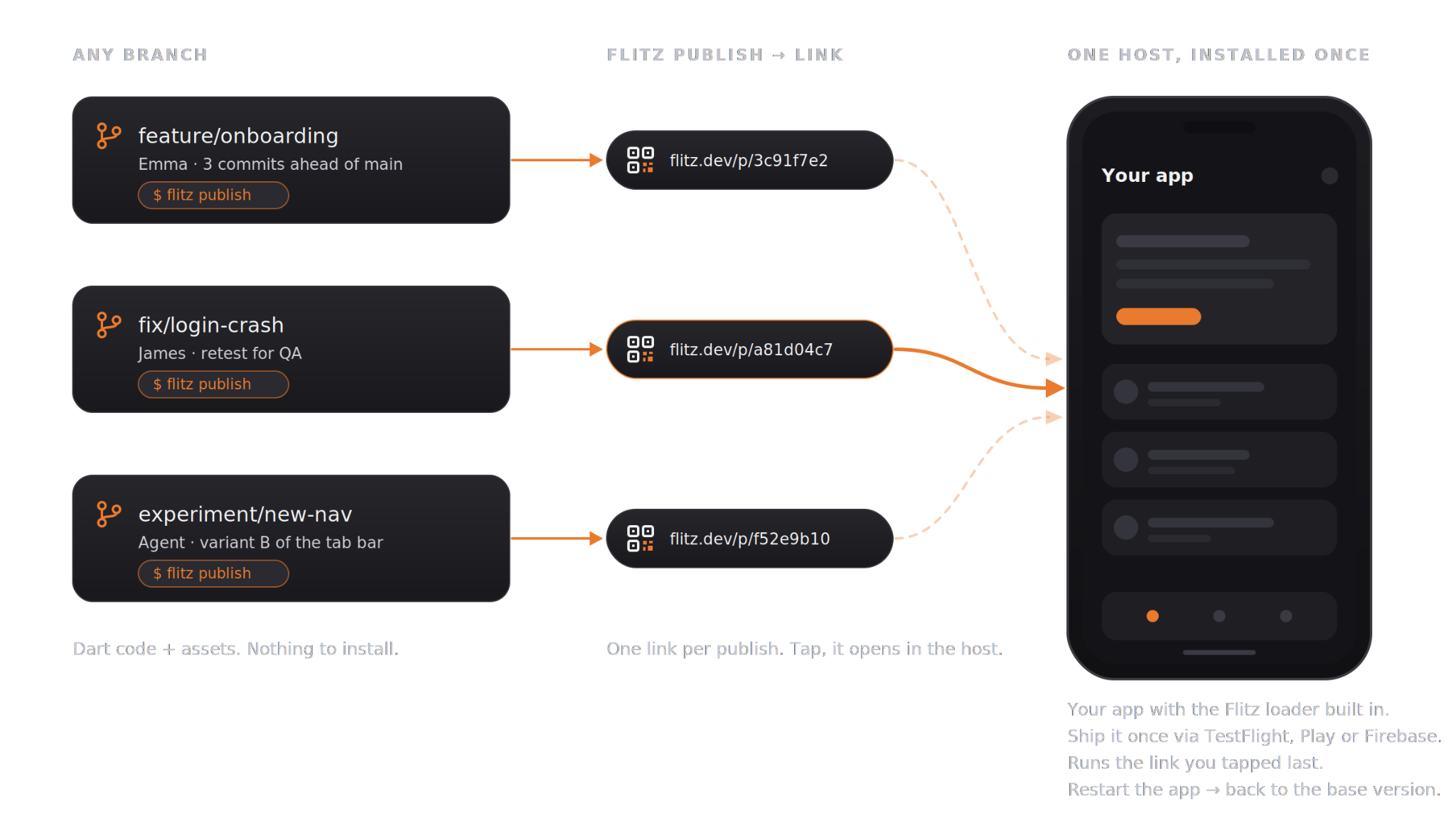
In a nutshell: you publish any branch from your own computer, you get a link and a QR code, and a teammate opens a working version of your app on their phone. No pull request, no CI/CD run, no reinstalling anything.
Any branch, one command, on their phone.
If you’ve used preview deployments on the web, Flitz brings that same idea to Flutter apps. We built Flitz at LeanCode because we kept paying the full release-pipeline price for every round of feedback, and most of those rounds were "can you move that button a bit".
Host and preview: the two parts that make it work
Flitz splits your app into two pieces.
The host is your own app, compiled with the Flitz loader built in. It carries the Flutter engine, your native plugins and everything else that your application needs. You rebuild it only when you update the Flutter SDK or add a native dependency, so in practice it changes pretty infrequently. Ship it the way you already ship test builds (TestFlight, an internal Play Store channel, Firebase App Distribution) and reviewers install it once.
The preview is a .flitz package that the Flitz CLI creates from your code. It consists of your Dart code compiled to bytecode, and your assets. It opens inside the host when someone taps a link.
If you want to know how we run Dart bytecode inside a release build, the docs have it: How it works.
Three things to keep in mind
- Pre-release, not production. Flitz is a feedback loop that sits before your pipeline. It doesn't replace CI/CD, PR review or the stores. It makes sure the version that reaches them has already been seen on a phone.
- A working app, not a screenshot. The preview runs your real application, with your native plugins and state, real gestures on real hardware. What you tap is what the user will tap.
- One installation, many previews. A reviewer installs the host once and then switches between previews in a tap, on their own device, wherever they are.
How each role on your team uses the link
Everyone on the team opens the same link, but each role gets something different out of it.
Software engineer. Your change is ready, but no one can see it until the pull request review and CI/CD are done. With Flitz, you publish from your branch and drop the link wherever your team talks: Slack, Teams, a Jira ticket, a DM. Feedback comes back while the code is still open in your editor, so a fix takes a few minutes instead of a context switch hours later.
Designer. AI tools can turn your design into a working screen now, but running it on a phone still means a developer and a toolchain. With Flitz, you let the agent publish the vibe-coded app and open the result on your own phone. You check real typography, animations and gestures on the device, and you try several versions without asking anyone.
Product owner. You approve features based on screenshots or presentations. With Flitz, you open the branch on your phone the moment it's built and walk through it the way a user would. You course-correct early, so fixes stay small and immediate instead of turning into next sprint's stories.
QA engineer. You wait for the merge and the build, then work out which build actually has the fix. With Flitz, you load any branch into the host you already have, retest with a single tap, and paste the preview link into the issue. The developer reproduces the exact same version you tested.
VP, CTO, higher management. Today you track progress through pasted screenshots or scheduled demos. With Flitz, you install the host once, and every update is a link you open at any time and forward to whoever needs to see it. No account required, no toolchain needed.
Getting an account
Flitz is in early access, so there's no sign-up button yet. Here's how it goes:
- Request access through the contact form. We’ll set up a call where our team shows you Flitz in action and answers your questions. If it looks like a good fit, you'll get an invitation email for your organization; accept it and set a password.
- The organization owner signs in to the portal and starts the trial. It is free and lasts for 30 days.
- The owner invites the rest of the team from the Members page. There's no seat limit, so add every developer who will publish.
Reviewers who only open links (designers, PO, QA, management) need no Flitz account by default. They need the host on their phone, and that's it. If you publish previews as private, every reviewer needs an account in your organization, so invite them too.
Step by step: integrating Flitz into an existing app
Prefer to delegate? Ask your coding agent to set up Flitz in your app using https://docs.flitz.dev. The docs are written with agents in mind. Read the steps below anyway, so you know what the agent changed.
For a typical app the whole setup takes an hour. After that, publishing is one command. We'll go in the order the CLI expects, and flitz status will tell you where you are at any point.
Prerequisites: a Flutter 3.41+ app and a real Android or iOS device to test on. The full list is in the compatibility docs.
1. Install the CLI
curl -fsSL https://download.flitz.dev/install.sh | sh
flitz --version
2. Sign in
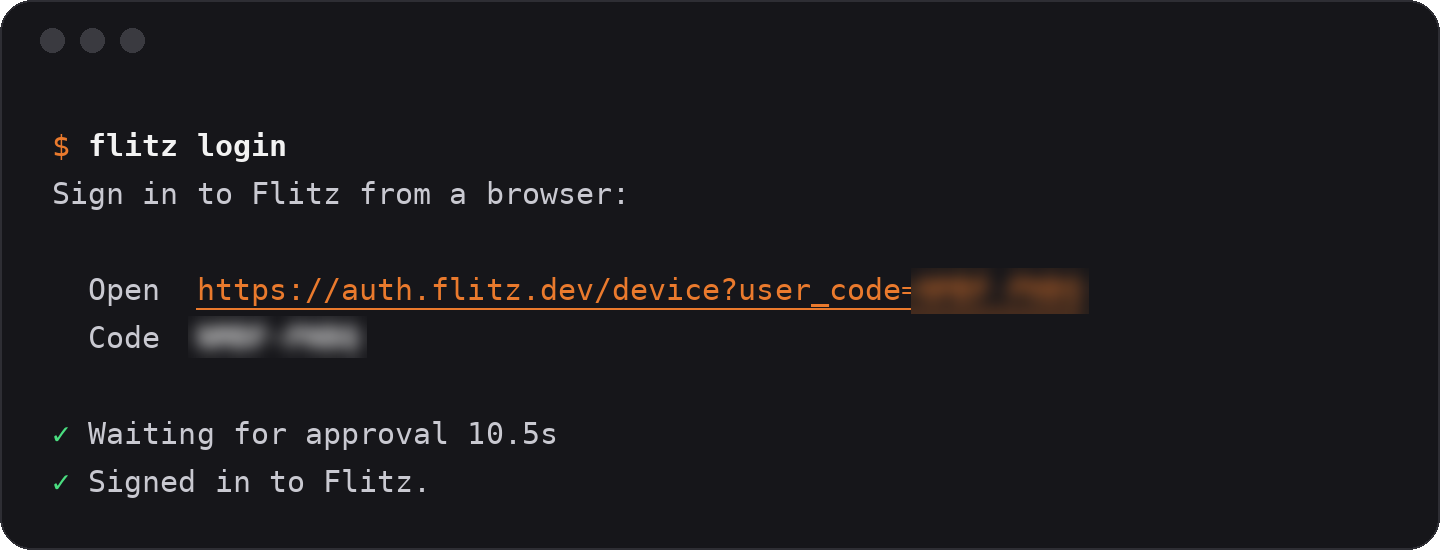
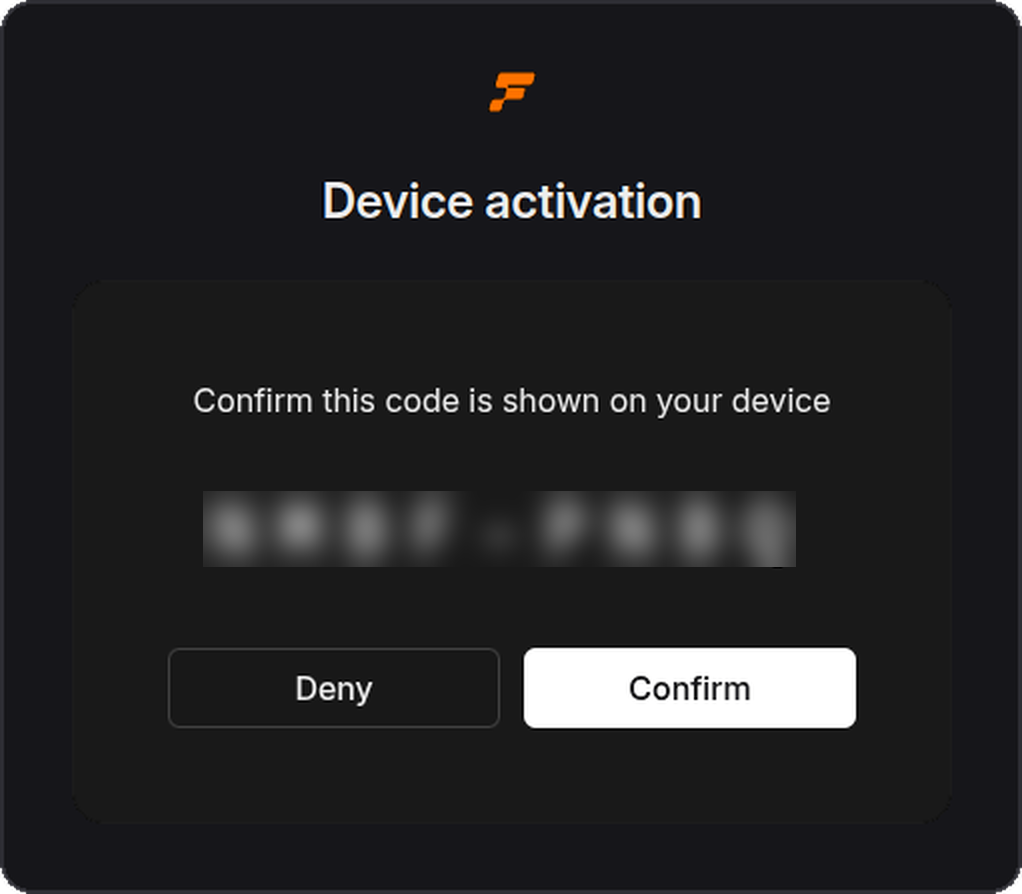
flitz loginThe CLI prints a link and a short code. Open the link, confirm the code, and you're signed in on this machine. You do this once per machine.
3. Check where you stand
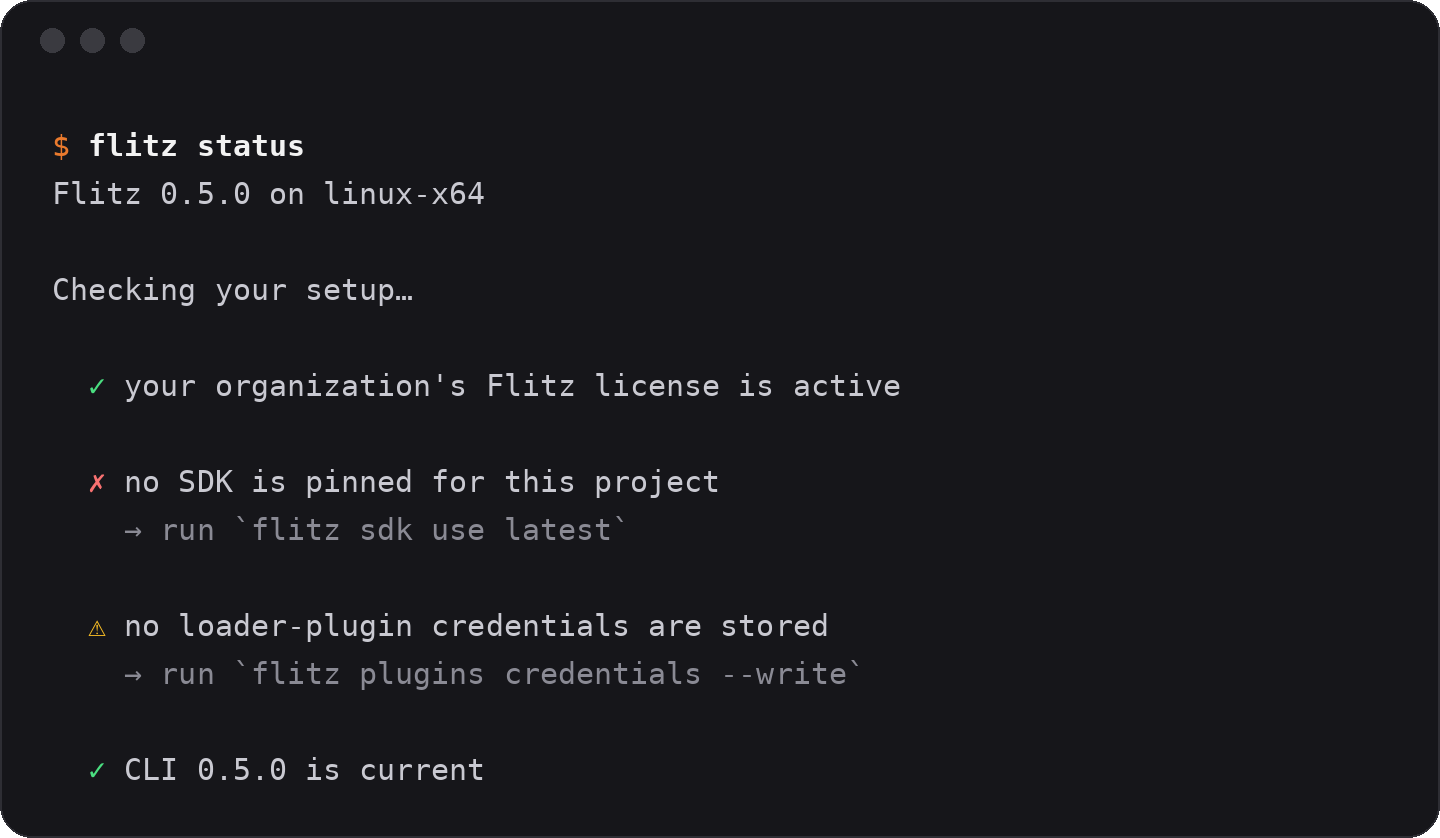
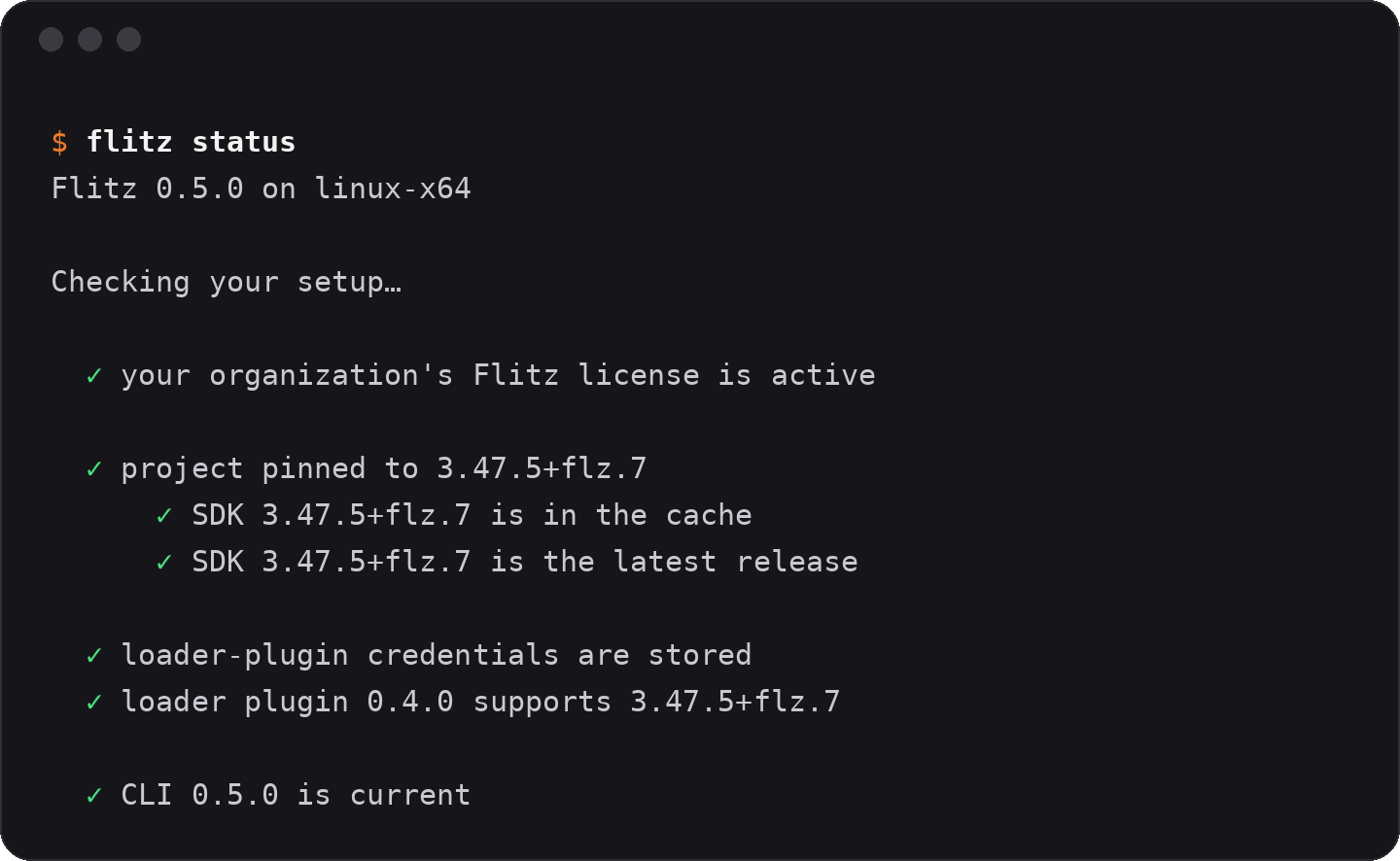
flitz statusRun it after every step. It lists what's done and what's missing, and tells you what to do next. Right after login you'll see one red item and one yellow: no SDK pinned, no loader-plugin credentials. That's expected.
4. Pin the SDK
Flitz ships its own build of the Flutter SDK, and your host has to be built with it. Pick the release that matches your Flutter version:
flitz sdk releases
cd /path/to/your/app
flitz sdk use <tag>
This writes flitz.yaml to your project root. Commit it, so everyone on the team builds against the same pin.

5. Store the loader credentials
flitz plugins credentials --writeThe loader lives in a private repository. This command saves a token in your Gradle and netrc config, so Gradle and CocoaPods can fetch it on their own. It's machine-local, nothing to commit.
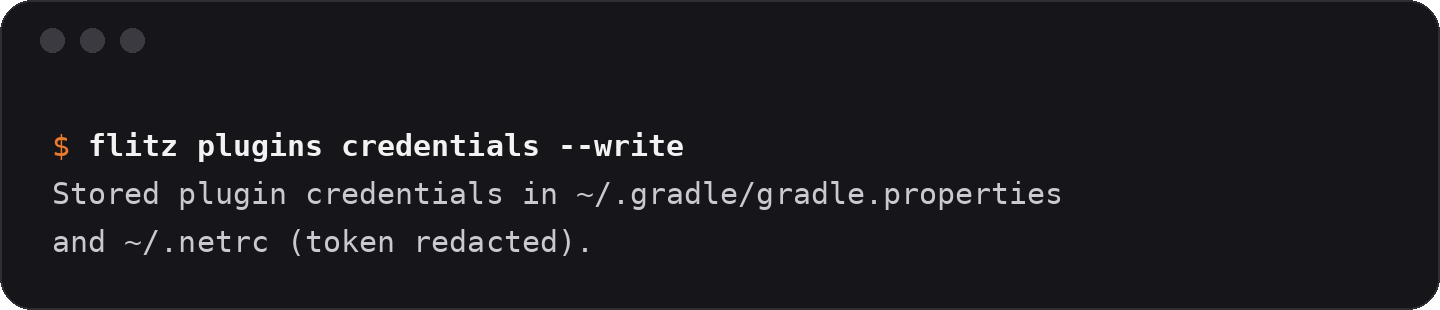
Run flitz status again. Everything from the account down to the loader plugin should be green now. The only thing left is the host itself, and that's the next three steps.
6. Embed the loader
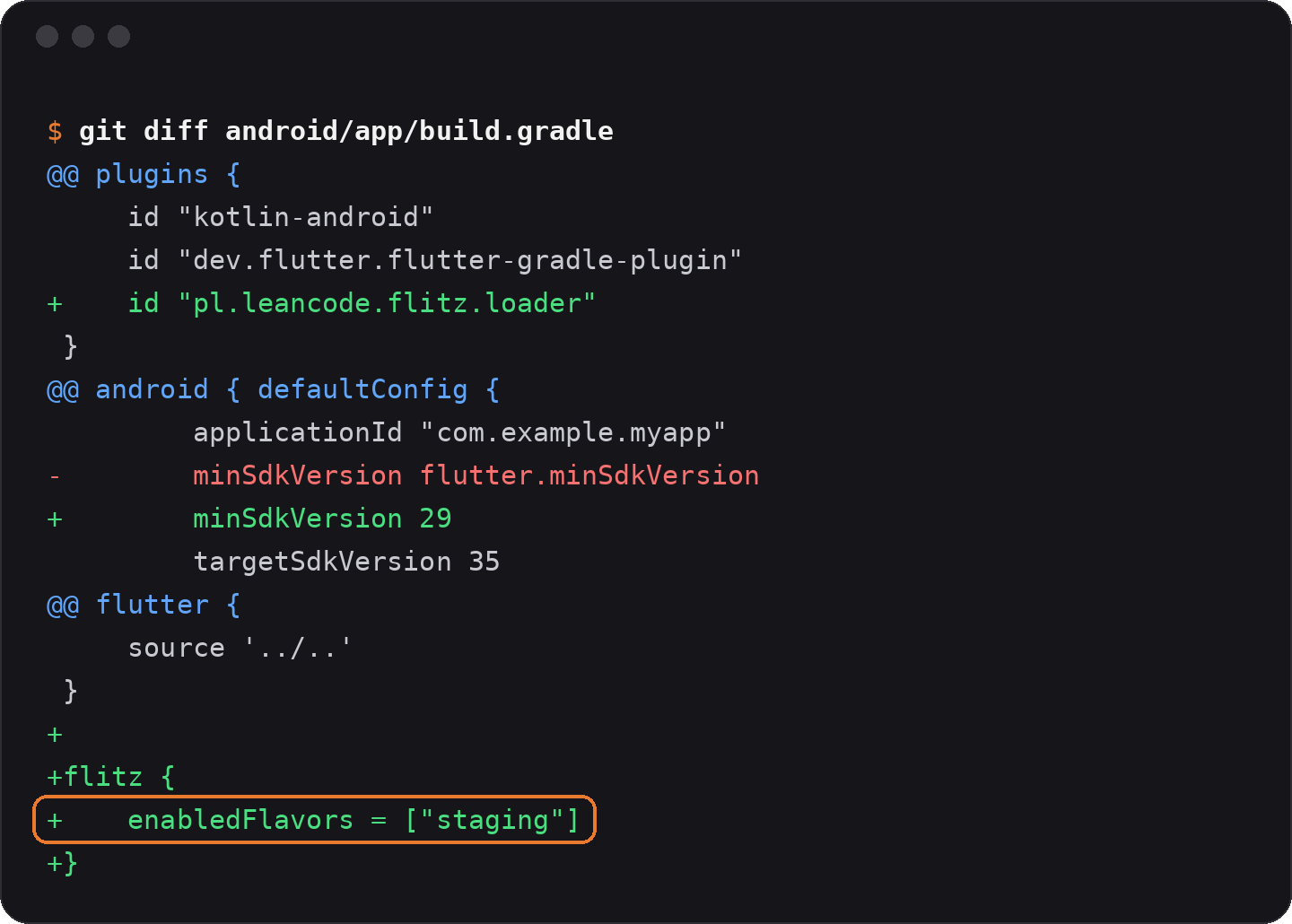
This is the one step that touches native code, and it's also the step you can hand over. The docs are written for coding agents: tell your agent to read https://docs.flitz.dev and embed the loaders, then review the diff. What it changes:
- Android:
minSdk 29and aflitz { enabledFlavors = listOf("staging") }block inbuild.gradle.kts(in a Groovy project it'sminSdkVersion 29andenabledFlavors = ["staging"]inbuild.gradle, as in the diff below). Only the flavors you list get the loader; your production build contains nothing from Flitz. - iOS: deployment target 16.0 in the Podfile and in the Runner target.
Details for both platforms: Android loader, iOS loader.
7. Point your toolchain at the SDK
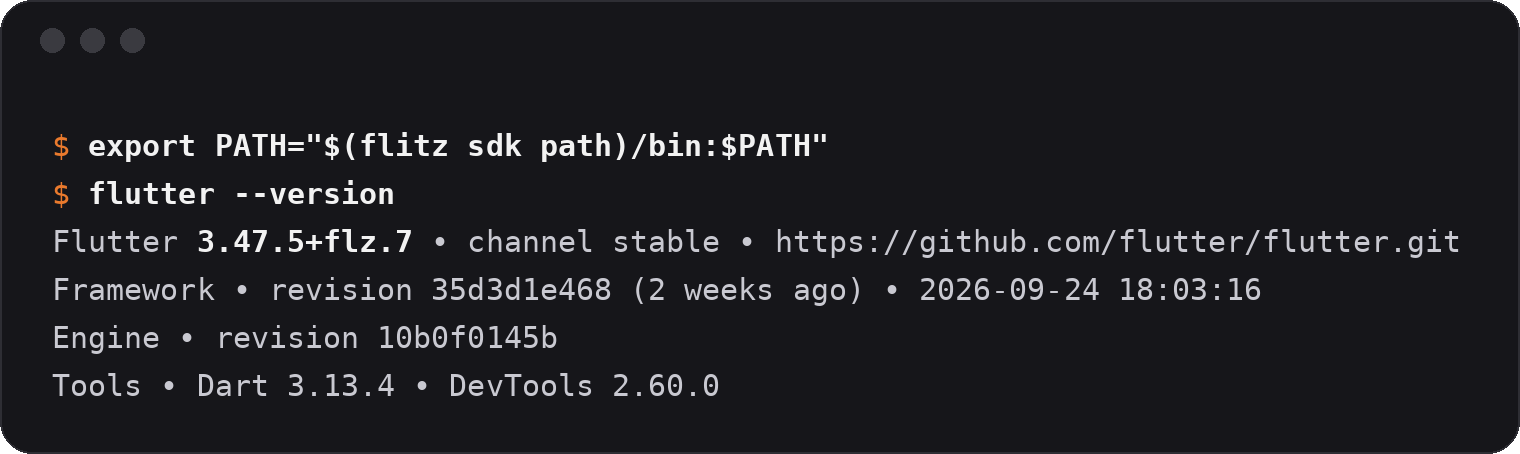
export PATH="$(flitz sdk path)/bin:$PATH"Set the same path as the Flutter SDK in VS Code or Android Studio. Your regular Flutter stays where it was; you only switch for this project.
8. Build and install the host
Release mode only:
flutter build apk --flavor staging --release
adb install build/app/outputs/flutter-apk/app-staging-release.apk
On iOS, archive the staging scheme the way you normally do and install it on your device.
9. Publish
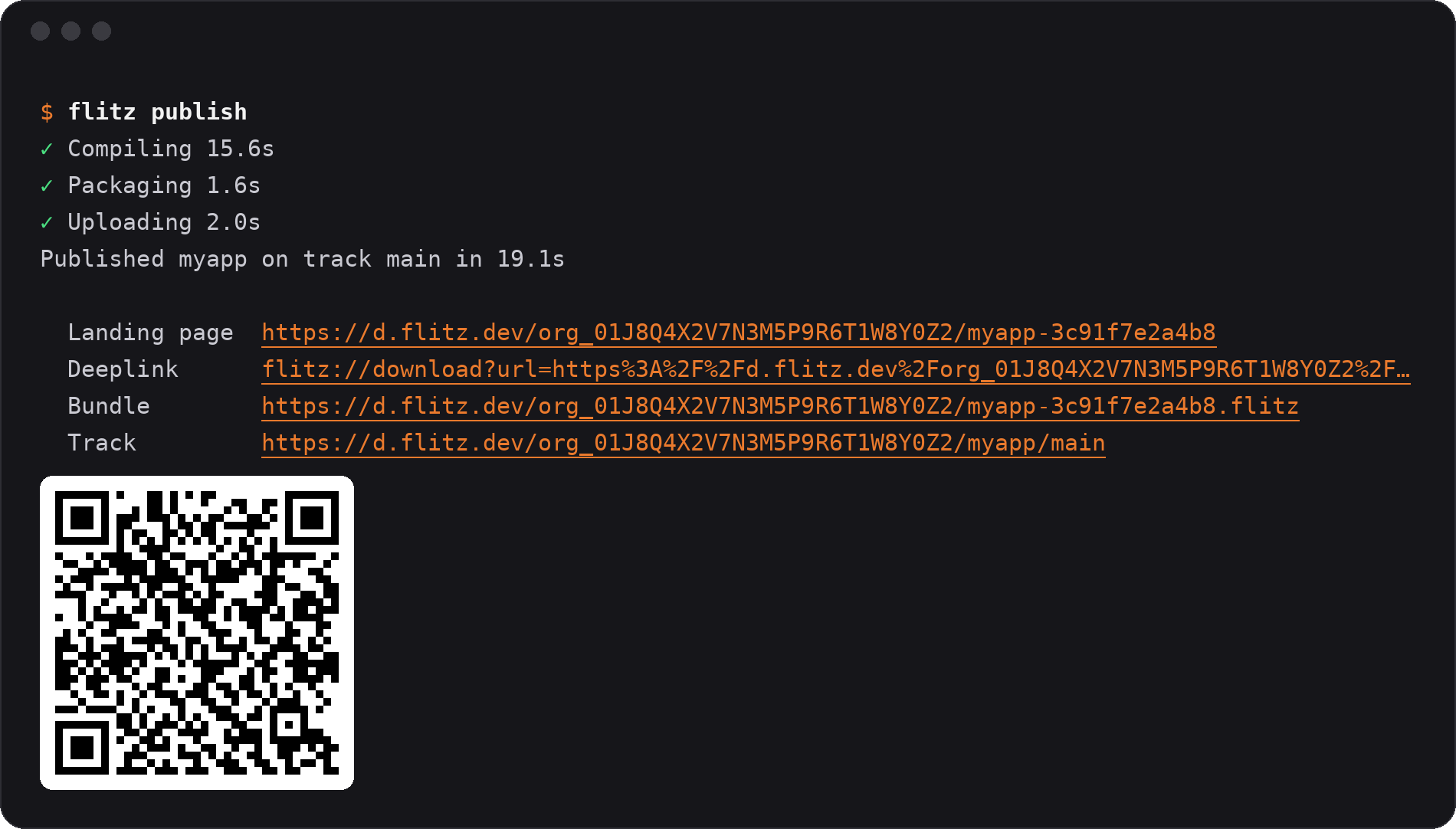
flitz publishThe CLI compiles your branch, uploads it and prints a landing-page link, a deeplink and a QR code. Open the link on the phone with the host installed, tap the button, and your branch is running.
10. Distribute the host to the team
Ship the host once through TestFlight, a Play internal track or Firebase App Distribution. Teammates install it, open your link, and see exactly what you saw. Docs: Get the host to your team.
11. Optional: publish from CI
If you'd rather have every push produce a preview, create an API key with flitz apikey create, store it as the FLITZ_APIKEY secret and run flitz publish on a Linux/macOS runner. No Xcode, no Android SDK; the runner only compiles Dart. Docs: Publish from CI.
Integration overview: one-time setup, then one command
Eleven steps looks like a lot on a page. In practice it splits into two very different things.
Setup, once: install the CLI, sign in, pin the SDK, store the plugin credentials, embed the loader, build and distribute the host. The loader step is the only one with native code in it.
Daily loop: flitz publish, share the link, the reviewer taps.
Each publish gets its own unguessable link, and every publish shows up on the portal's Publishes page with its branch and who published it. "Which version is this?" stops being a question. More in the portal docs.
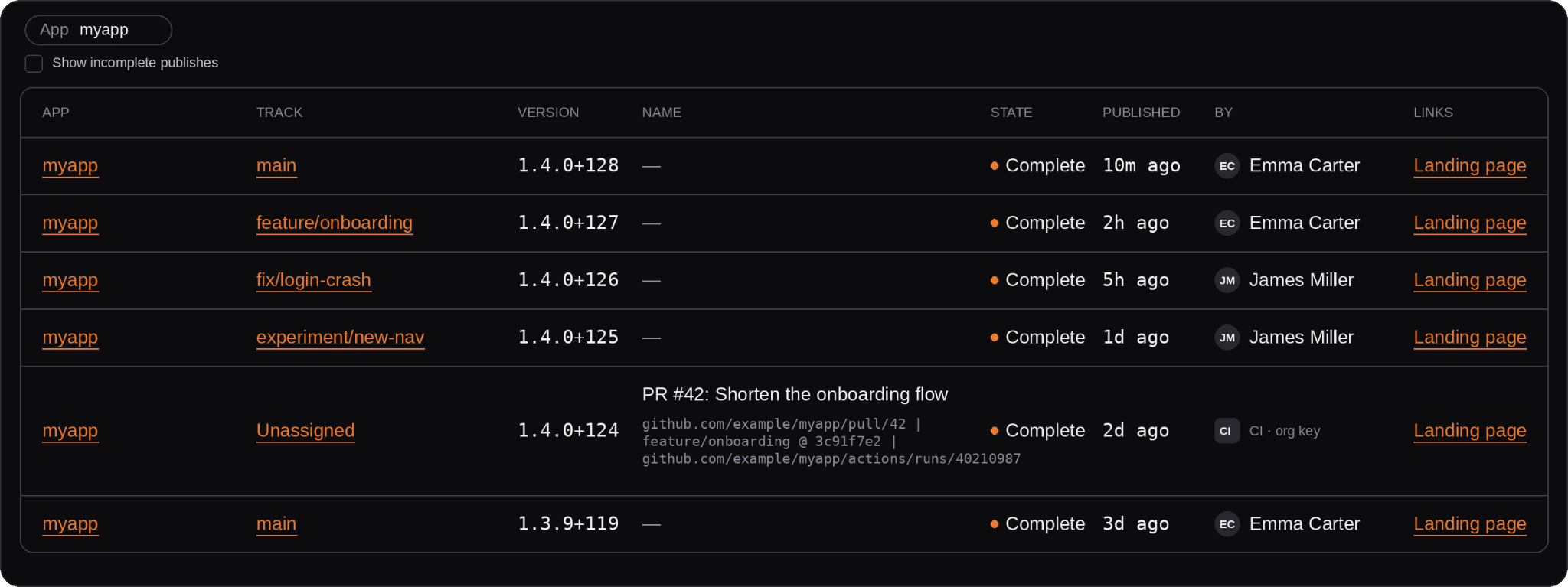
Rebuild the host only when you move the SDK pin or add or upgrade a package with native code. Everything else, screens, logic, assets, copy, goes out as a preview.
The link is the new build
It's not about faster coding or compilation. When an agent builds three variants of a screen for the price of one, building stops being the bottleneck. Showing becomes the bottleneck. Publish each variant from its own branch, let the reviewer flip between the links on one phone, and pick. More rounds of feedback per feature, and decisions made on working software instead of a slide.
You started this article with an empty terminal. You end it with your PO's phone running your branch. An hour in between, one command after that.
If you're curious what it took to make a release build run code it was never compiled with, Jakub Fijałkowski, Head of R&D at LeanCode and creator of Flitz, walks through it in his Flutter & Friends talk: Building Flitz: How We Modified the Flutter Engine So Your Team Could Iterate Faster. It goes pretty deep into the Dart VM, so grab a coffee.
Flitz is in early access. Request access, and your first stakeholder link is an hour away.