What's new in Flitz: Flitz Browser and Flitz Feedback
 Jakub FijałkowskiCreator of Flitz
Here's a message every Flutter developer has seen after sharing a preview: "Looks good, but which one was this?" And ten minutes later: "Also, something's off on the checkout screen. Not sure which version, sorry."
Getting a working change onto someone's phone is the part Flitz already solved. But what happens next is often still messy: too many links in chat, and feedback that arrives without context. So we built two features for exactly that moment.
Flitz Browser: every version a tap away
Picture a product owner reviewing a checkout redesign. Yesterday they got a plain order list. This morning, rows with thumbnails. At lunch, a version with each item as a card. That's three links, one QR code from standup, and a growing suspicion that they've just opened the wrong one.
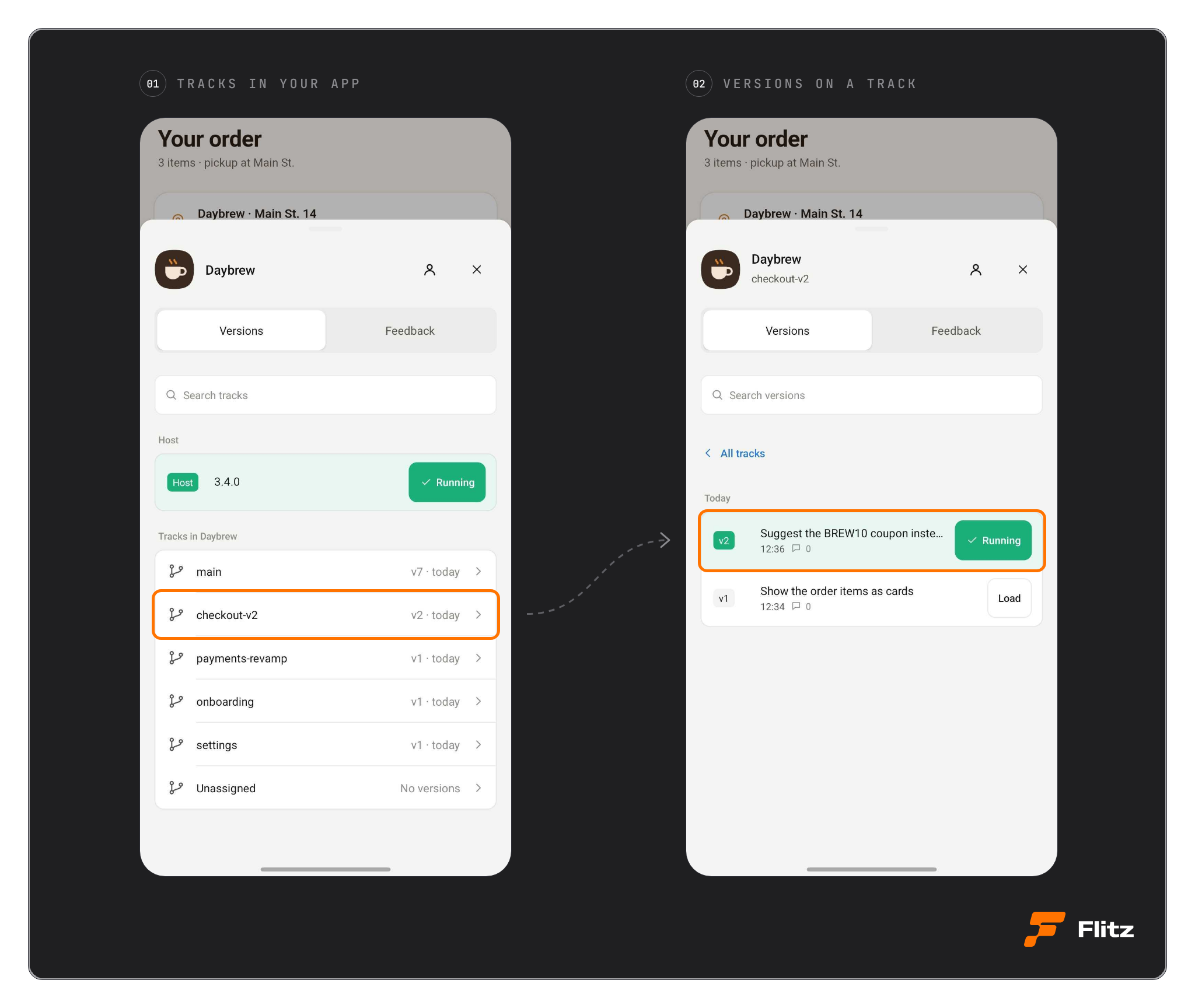
Flitz Browser puts all of them in one place, right inside the app, sorted by track (the branch the work lives on):
- Tracks first: every track of your app sits in one list with its latest version and when it was published.
- Versions inside each track: grouped by day, newest first, each with its name, publish time and number of comments.
- One tap to switch: the version on screen is marked "Running". Any other loads with a tap on "Load".
Flitz Feedback: leave comments without leaving the app
The best feedback happens in the moment. The reviewer spots something and wants to say it right there. Until now, that meant switching to chat, taking a screenshot and hoping the developer could work out which version it was.
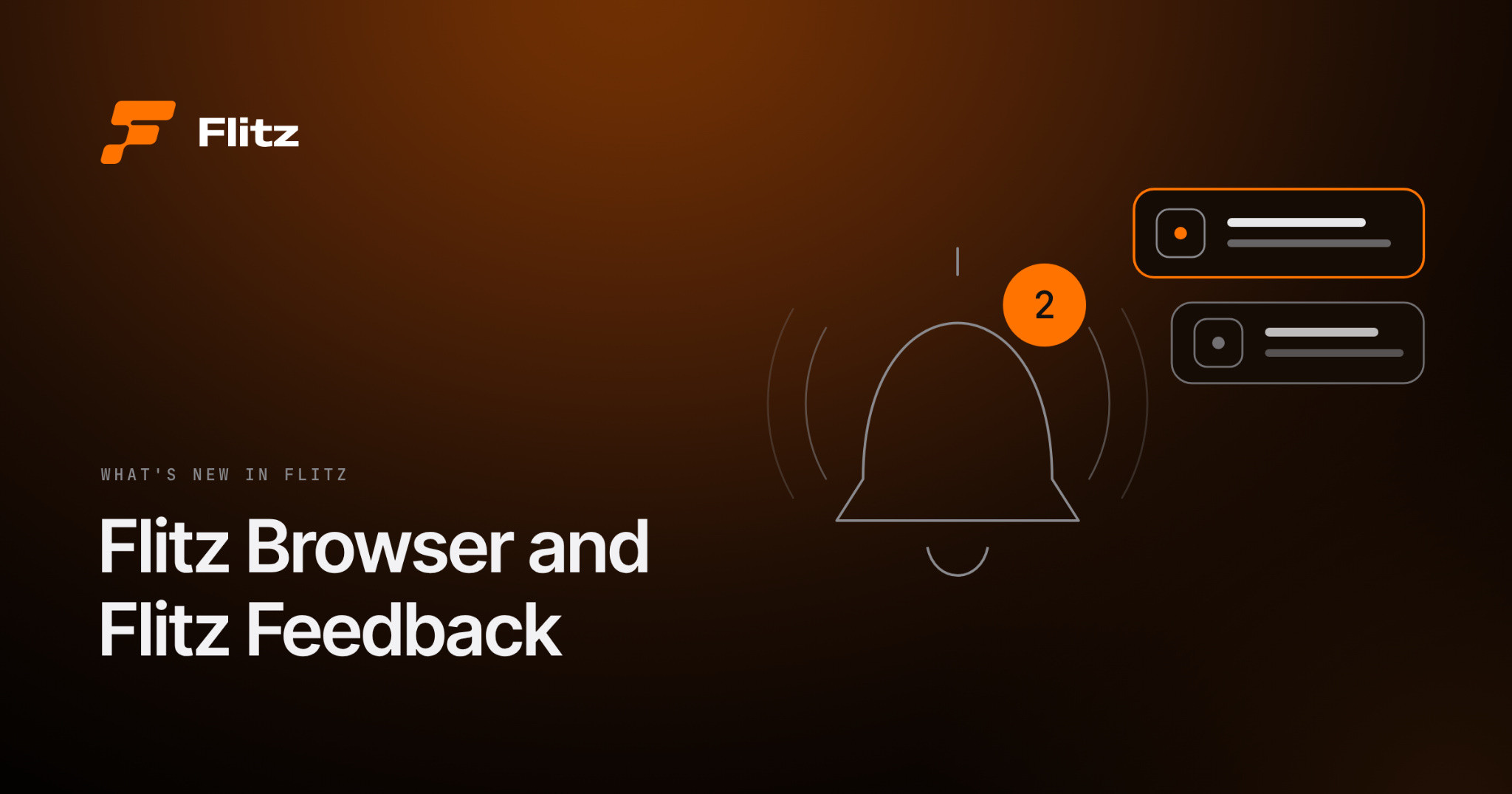
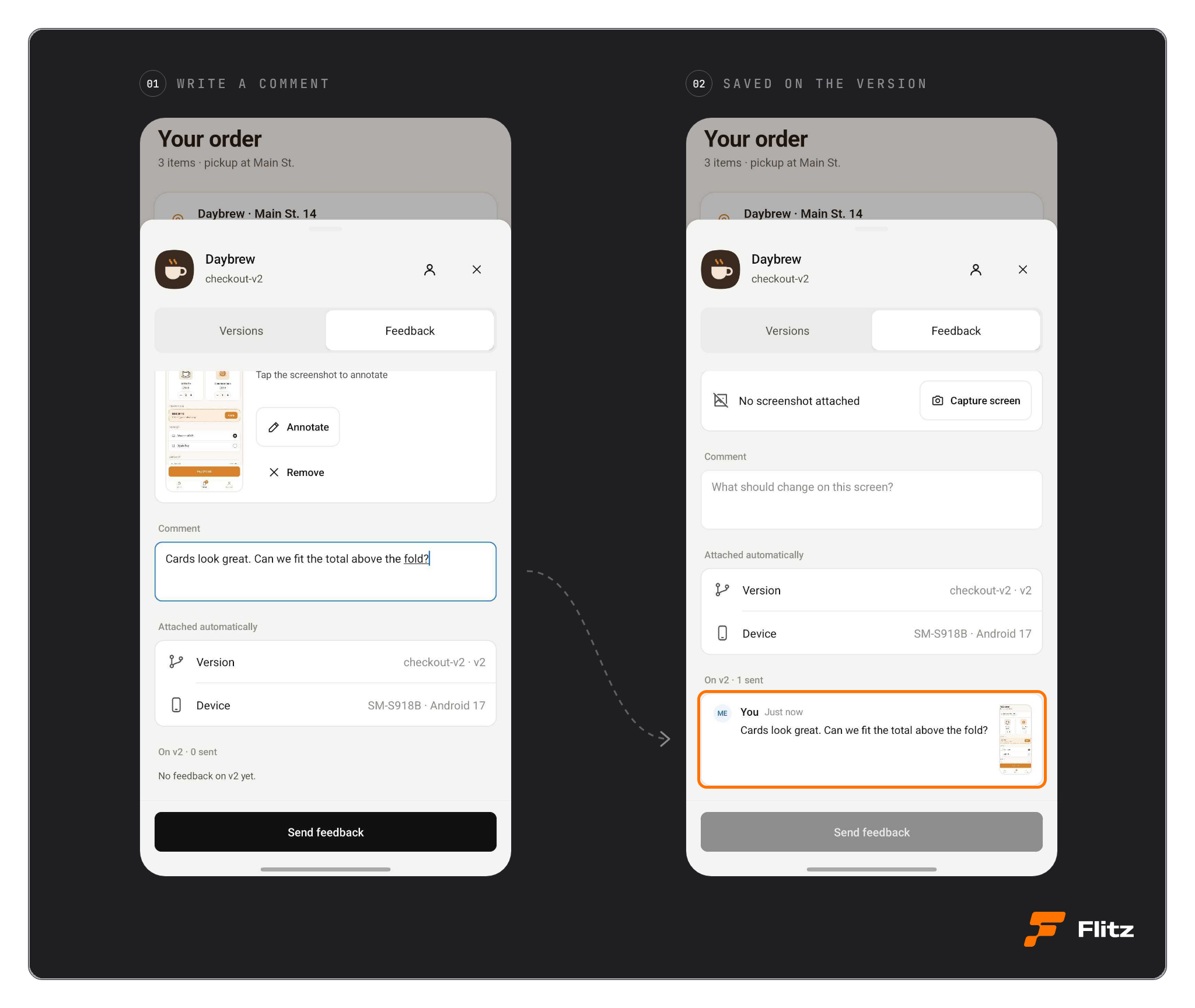
Flitz Feedback keeps the whole thing inside the preview:
- Screenshot and comment: the reviewer attaches a screenshot of the current view and writes what should change.
- Context attached automatically: every comment carries the version and the device.
- Open comments per version: before writing, reviewers see what others already flagged, so the same issue gets reported once, not four times.
What it means for your team
- Software engineer: gets feedback with the version, device and screenshot already attached, while the code is still open.
- Product owner: compares variants on their own phone and decides the same day.
- Designer: points at the exact screen that's off, instead of describing it in a message.
- QA engineer: always knows which version they're testing, and their reports carry it too.
More updates are on the way
Flitz Browser and Flitz Feedback are the next step toward one goal: making the time between "it's ready" and "here's what to change" as short as possible. Previews already put a working change on a real phone in minutes. Now the conversation that follows happens in the same place, tied to the exact version everyone is looking at. And there's more on the way.
If you're not using Flitz yet, book a demo and see both features on your team's phones.