How to improve developer productivity with earlier feedback
 Wojciech ZielonkaPerformance Marketing Manager
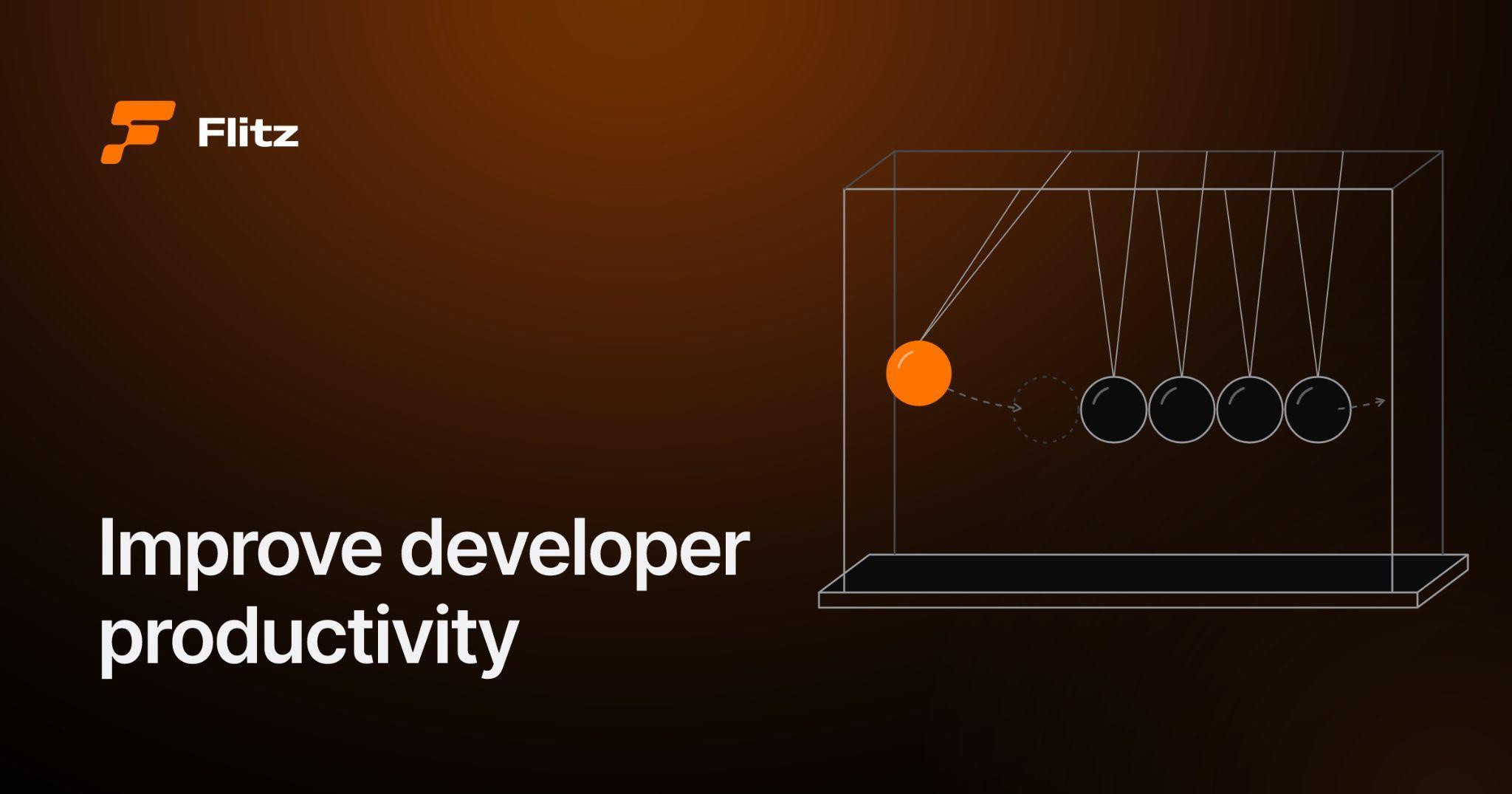
Every engineering team wants to ship more without burning people out, and few topics get as much attention as developer productivity. Teams invest in faster laptops, better IDEs, AI coding assistants and fewer meetings, then struggle to tell which of those investments actually helped improve developer productivity.
Part of the reason is where productivity usually gets measured: at the keyboard. Yet much of a developer’s week happens away from it, waiting for a test run, a review or a decision before the work can move on. As AI assistants speed up writing code, those waits make up a growing share of the time it takes to deliver a feature.
This article looks at developer productivity through that lens. You’ll see how to measure it without counting lines of code, what late feedback really costs and which practices shorten the wait.
What you’ll learn:
- What developer productivity means and how to measure it without counting lines of code
- Where late feedback costs your team time and money
- Practical ways to shorten feedback loops, from code review to product decisions
- Why feedback takes longer on mobile and how Flutter teams can close the gap
What is developer productivity?
Developer productivity is how much valuable, working software a team delivers for the time and effort it puts in. The key word is team: a developer who writes code quickly but waits a day for every answer isn’t productive, and neither is the team around them.
That’s why research has moved away from output counts like lines of code or story points. Three frameworks shape how most engineering leaders think about it today:
| Framework | What it looks at | Where feedback shows up |
|---|---|---|
| DORA metrics | Delivery throughput and instability: change lead time, deployment frequency, change fail rate, failed deployment recovery time and deployment rework rate | Lead time and rework both grow when problems are found late |
| SPACE (2021) | Satisfaction and well-being, performance, activity, communication and collaboration, efficiency and flow | Collaboration and flow suffer when people wait on each other |
| DevEx (2023) | Feedback loops, cognitive load and flow state | Feedback loops are one of its three core dimensions |
How to measure developer productivity
You don’t need a dashboard to start. Pick a few numbers that describe how long work waits, not how much code gets written:
- Change lead time: how long a change takes from commit to production. DORA tracks it as a core throughput metric.
- Time to first feedback: how long a finished change waits before someone outside the dev team tries it. Few teams measure it, even though it can be the longest wait in the process.
- Feedback rounds per feature: how many times a feature goes back for changes, and how many of those rounds happen after the merge.
- Developer perception: a short, regular survey with statements like “I get feedback on my work quickly.” The DevEx authors recommend pairing answers like these with data from your tools.
For a product owner, the second and third numbers matter most. They show how long work waits for your decisions and how much those decisions cost when they arrive late.
Why is late feedback so expensive?
Late feedback rarely shows up as a line item in a budget. It hides in four places, and each one grows the longer a finished change waits for someone to try it.
Waiting time and the cost of delay
A finished feature that nobody has approved delivers nothing. Product teams call this the cost of delay: the value you lose for every day something useful isn’t in users’ hands. If a feature is meant to bring in revenue or reduce churn, each day it waits for a decision is value it didn’t deliver.
Context switching
Developers don’t sit idle while they wait. They pick up the next ticket, and when feedback arrives, they switch back. Research by Gloria Mark at UC Irvine found that people took on average 23 minutes and 15 seconds to return to interrupted work, usually after touching other tasks first.
The study looked at knowledge workers in general, not code reviews, so treat the number as a signal rather than a rule. The pattern will still sound familiar: the longer feedback takes, the colder the code is when it comes back.
Rework after the merge
Feedback that arrives after the merge is the most expensive kind. The fix needs a new branch, another pull request (PR), another review, another pipeline run and another round of testing. A change that takes 20 minutes while the branch is still open can take the rest of the day after the merge.
Decisions made on screenshots
When trying the real app takes a day, product owners and designers decide on screenshots and screen recordings instead. These work for layout, but they don’t show how a list scrolls, how a tap feels or what happens with real data. Those issues surface later, on a real phone, when they cost more to fix.
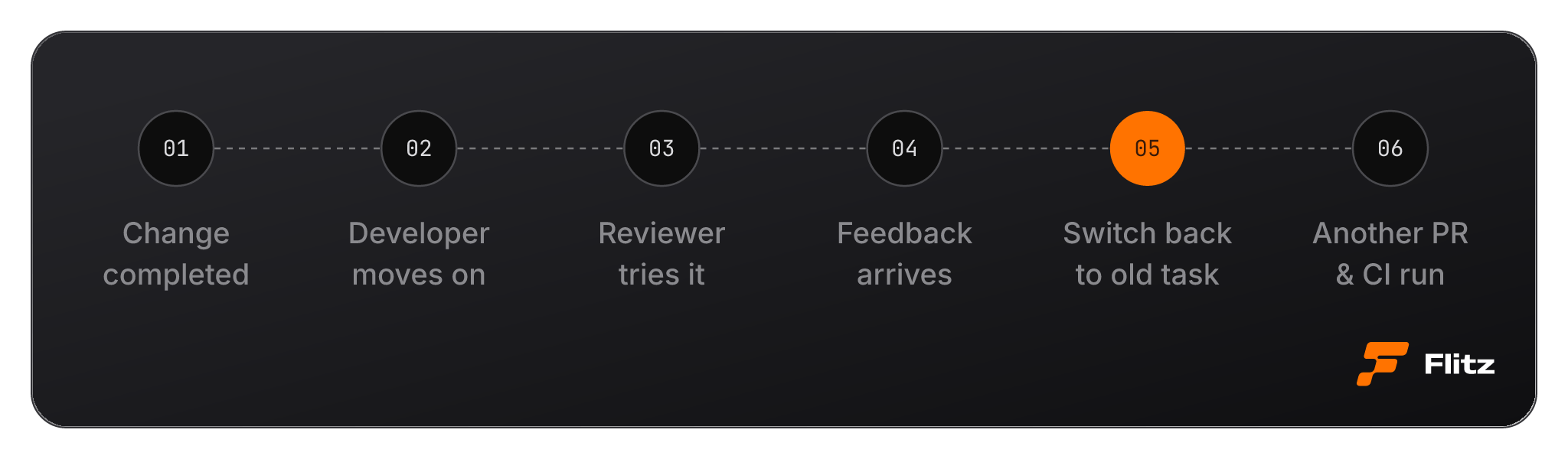
Put together, a late round of feedback costs far more than the few minutes it takes to give it. Getting that feedback earlier is where the return comes from.
How to improve developer productivity with faster feedback loops
Waiting, context switching, rework and decisions made on screenshots share one fix: moving feedback earlier in the process. None of the practices below requires a reorganization.
- Speed up automated feedback: slow test suites and long CI runs are among the most common waits in a developer’s day. Run the fastest checks first and keep the full suite for later stages.
- Set a code review turnaround target: a PR waiting a day for its first comment costs as much context as any other delay. Many teams agree on a first response within a few working hours.
- Show work before the PR, not after the merge: the cheapest moment to change something is while the developer still has the branch open. Ask for a quick look at work in progress, not only at finished features.
- Keep changes small: a small change is faster to review, faster to try and easier to adjust. Feedback on one screen is sharper than feedback on a whole new flow.
- Bring working software to meetings: at refinements and sprint reviews, walk through the running feature instead of slides or screenshots. Decisions get made in the meeting, not in a follow-up thread.
- Give everyone the same version: when the product owner, designer and QA engineer try different builds, their feedback can conflict. Agree on which version is under review.
- Agree on a response window: same-day feedback from product and design keeps the developer in context. A simple team rule, like trying new work within a few hours, turns a fast loop into a habit.
- Measure the wait: track time to first feedback next to change lead time. Once the number is visible, the team starts treating waiting as a problem to solve.
Web teams have a head start here. Preview environments on platforms like Vercel or Netlify give every pull request a link that anyone can open in a browser. If the idea is new to you, start with What are preview environments? On mobile, the same idea takes more work.
Why feedback takes longer on mobile apps
On the web, a change can be live on a preview link a few minutes after the developer pushes it. On mobile, someone has to build the app and upload it to TestFlight or Firebase App Distribution. Then everyone has to install the update. Because that takes effort, many teams do it only after the merge, once or twice a day.
So the product owner usually sees a finished change the next day at the earliest. Every cost described above grows: longer waits, more context switching, more rework after the merge and more decisions made on screenshots. Flutter’s hot reload doesn’t help here. It speeds up the loop for the developer at their desk, but it doesn’t put the change on anyone else’s phone.
Earlier feedback for Flutter apps with Flitz
Flitz started at LeanCode as our answer to a problem we kept facing on client projects. It brings preview environments to Flutter apps: a developer publishes a preview straight from their branch, and the product owner, designer or QA engineer opens it on their own phone with a link or a QR code. No merge, no CI run, no TestFlight upload.
Reviewers install a Flitz-enabled version of your app once. After that, every new preview opens in it, so the time from a finished change to a working preview on a reviewer’s phone drops from about a day to under 3 minutes.
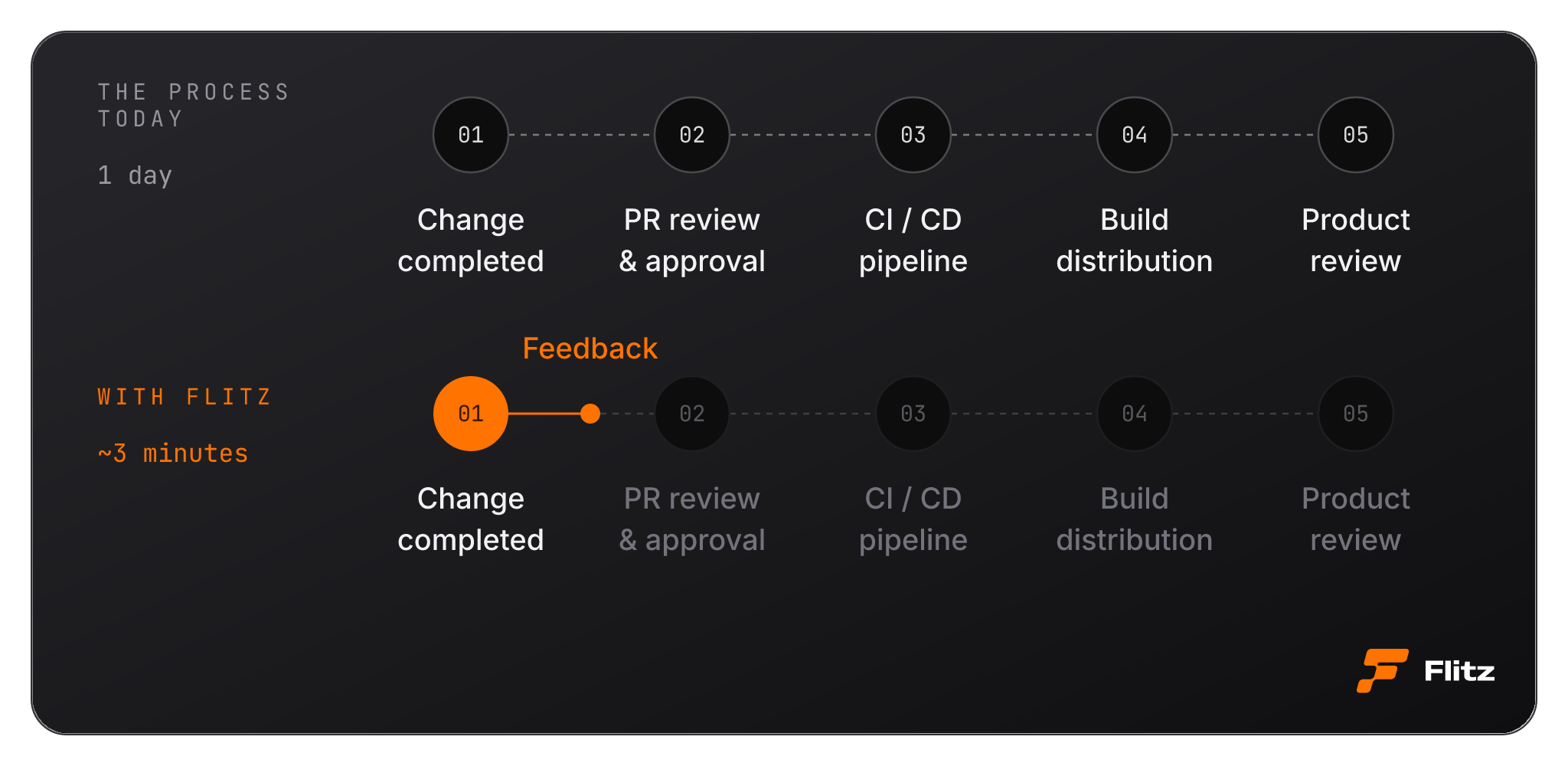
That changes who can act and when:
- Product owner: tries the change the same afternoon and decides while the branch is still open.
- Software engineer: gets feedback while still in the code, instead of switching back a day later.
- Designer: checks spacing and scrolling on a real phone, not on a screenshot.
- QA engineer: tests the exact version everyone is discussing, before the change is merged.
Flitz complements your process rather than replacing it. PR review, CI/CD, TestFlight, Firebase App Distribution and store releases stay as they are. Flitz works only with Flutter apps and doesn’t create backend environments. A change that adds new native code still needs a fresh build of the app.
Conclusion: feedback speed is a productivity lever
Developer productivity isn’t only about how fast code gets written. It’s also about how long developers wait for answers, and how much it costs to change something once the developer has moved on. That wait is easy to overlook because it’s spread across PRs, pipelines, test builds and half-remembered branches.
Measure the wait, and you’ll often find that earlier feedback is one of the cheapest ways to improve developer productivity. You don’t need to rebuild your process. You need the answers to arrive sooner.
If your team builds Flutter apps and the slowest answer comes from product or design, learn more about Flitz.